Log #72 · Oct 15, 2026
Build an Arduino Clock with a DS3231 RTC and OLED Display
A desk clock that keeps accurate time even when unplugged, using the DS3231 real-time clock module and an SSD1306 OLED. Wiring, setting the time, full code and the ZS-042 battery warning.
millis() is fine for timing things, but it resets every time the Arduino restarts and drifts by seconds per hour. For real time of day, use a real-time clock (RTC) module. The DS3231 is the best cheap choice: it has a temperature-compensated crystal, keeps time to within about a minute per year, and runs from a coin cell when the Arduino is off. Add an OLED screen and you have a neat desk clock that also shows the date and room temperature.
Parts list
| Part | Notes |
|---|---|
| Arduino Uno or Nano | |
| DS3231 module | The common "ZS-042" board with a coin-cell holder |
| CR2032 or LIR2032 coin cell | See the battery warning below |
| 0.96" SSD1306 OLED, I²C | 128×64, four pins |
| Breadboard and jumper wires |
Wiring
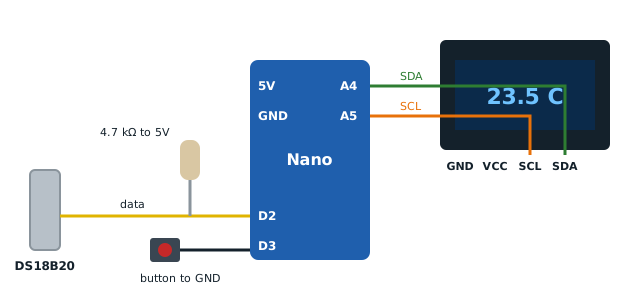
Both modules use the same I²C bus, connected in parallel:

| Module pin | Arduino Uno / Nano |
|---|---|
| VCC (both) | 5 V |
| GND (both) | GND |
| SDA (both) | A4 |
| SCL (both) | A5 |
The DS3231 answers at address 0x68 (its module also has a small EEPROM at 0x57); the OLED is usually 0x3C. If anything is missing, run the I²C scanner from the I²C guide.
Battery warning: the ZS-042 charging circuit
The popular ZS-042 board includes a small resistor and diode that charge the coin cell from VCC. That's meant for a rechargeable LIR2032. A normal CR2032 is not rechargeable, and charging it can make it swell or leak.
Choose one: - Use a LIR2032 rechargeable cell, or - Keep the CR2032 and remove the charging resistor (often a 200 Ω part marked "201" near the diode) or the diode with a soldering iron. Search for your board's photos to identify it; plenty of guides show the exact part.
With 5 V VCC the circuit can also over-charge a LIR2032 slightly; at 3.3 V it's gentler. For a desk clock that's always plugged in, the simplest safe choice is a CR2032 with the charging resistor removed.
Libraries
From the Library Manager install: - RTClib by Adafruit - Adafruit SSD1306 and Adafruit GFX Library
The code
#include <Wire.h>
#include <RTClib.h>
#include <Adafruit_GFX.h>
#include <Adafruit_SSD1306.h>

RTC_DS3231 rtc;
Adafruit_SSD1306 display(128, 64, &Wire, -1);

const char* DAYS[] = {"Sunday", "Monday", "Tuesday", "Wednesday",
                      "Thursday", "Friday", "Saturday"};

void setup() {
  Serial.begin(9600);
  if (!rtc.begin()) {
    Serial.println("RTC not found");
    while (true) {}
  }
  if (!display.begin(SSD1306_SWITCHCAPVCC, 0x3C)) {
    Serial.println("OLED not found");
    while (true) {}
  }
  if (rtc.lostPower()) {
    // Sets the RTC to the time this sketch was compiled
    rtc.adjust(DateTime(F(__DATE__), F(__TIME__)));
  }
  // To force a new time once, uncomment, upload, then comment out and upload again:
  // rtc.adjust(DateTime(2026, 10, 15, 14, 30, 0));
}

void loop() {
  static int lastSecond = -1;
  DateTime now = rtc.now();
  if (now.second() == lastSecond) return;   // redraw once per second
  lastSecond = now.second();

  char timeStr[9];
  snprintf(timeStr, sizeof(timeStr), "%02d:%02d:%02d",
           now.hour(), now.minute(), now.second());
  char dateStr[11];
  snprintf(dateStr, sizeof(dateStr), "%02d/%02d/%04d",
           now.day(), now.month(), now.year());

  display.clearDisplay();
  display.setTextColor(SSD1306_WHITE);

  display.setTextSize(2);
  display.setCursor(16, 8);
  display.print(timeStr);

  display.setTextSize(1);
  display.setCursor(34, 34);
  display.print(dateStr);

  display.setCursor(0, 52);
  display.print(DAYS[now.dayOfTheWeek()]);
  display.setCursor(86, 52);
  display.print(rtc.getTemperature(), 1);
  display.print(" C");

  display.display();
}
How it works
rtc.lostPower()is true the first time the module runs, or after its battery was removed. Only then is the time set, to the moment the sketch was compiled, so it will be a few seconds behind. If you need it exact, use thertc.adjust(DateTime(...))line with a time just ahead of now and upload at that moment.- The loop checks the time continuously but only redraws when the second changes, so the display updates smoothly once per second without
delay(). This is the same idea as millis() instead of delay(). getTemperature()reads the DS3231's internal sensor (used for its crystal compensation). It's accurate to about ±3 °C and reads a little warm from the board's own heat, fine for a rough room reading. For better readings, see temperature sensors compared.- The date is shown day/month/year; swap
now.day()andnow.month()if you prefer the US order.
Ideas to extend it
- 12-hour format: use
now.twelveHour()andnow.isPM(). - Alarm: compare the hour and minute with a set value and sound a buzzer. The DS3231 also has two hardware alarms that can pull its SQW pin low, which can wake a sleeping Arduino through an interrupt.
- Data logger: add a microSD module and save a timestamp with every sensor reading.
- Bigger digits: the Adafruit GFX library supports custom fonts.
Troubleshooting
- "RTC not found": check SDA/SCL and run the I²C scanner.
- Time resets to the compile time on every restart: no battery, a dead battery, or a bad holder contact.
- Time is wrong by hours: the compile time came from your computer's clock and time zone. Set it manually with
rtc.adjust(). - OLED blank: try address 0x3D.
— TheSolderBench · found a mistake? tell me